
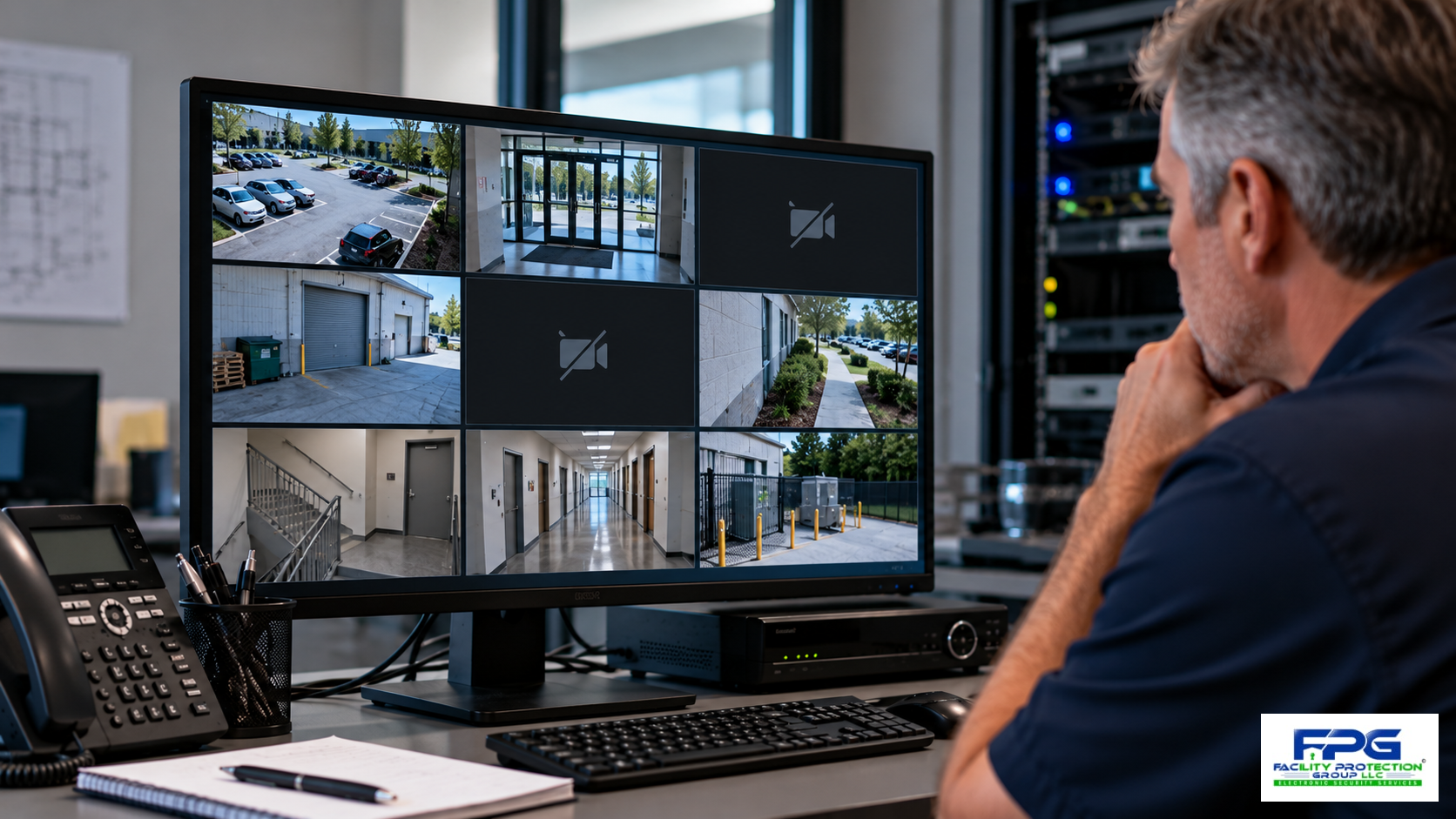
Security camera footage retention is one of the most important considerations in commercial video surveillance, yet it is often overlooked until a business needs to investigate an incident. A system may have excellent cameras and reliable live viewing, but those advantages provide little help if a recording has been overwritten, cannot be located, or is unavailable because of equipment failure.
For business owners and facility managers, this problem can emerge after theft, vandalism, property damage, unauthorized entry, or a workplace incident. Sometimes an event is discovered immediately; in other cases, days or weeks pass. Whether useful footage remains available depends on how the system was designed, configured, maintained, and operated.
A business should not assume its cameras automatically preserve recordings for 30, 60, or 90 days. Actual retention depends on storage capacity, recording settings, and activity. A system that originally stored several weeks of footage may retain less after cameras are added or settings change.
Facility Protection Group helps commercial organizations evaluate surveillance systems, recording requirements, and storage solutions so important footage is more likely to be available when needed.
Table of Contents
- What Is Security Camera Footage Retention?
- Why Does Security Camera Footage Disappear?
- How Long Should Businesses Keep Security Camera Recordings?
- What Determines How Much Video Storage You Need?
- Should Your Business Use Local, Cloud, or Hybrid Video Storage?
- How Can Businesses Protect Important Recordings?
- What Should You Ask Your Surveillance Installer?
- Building a Reliable Video Retention Strategy
What Is Security Camera Footage Retention?
Security camera footage retention refers to how long recorded video remains stored and available for review before deletion or overwriting under the system’s configuration and applicable policies.
Commercial systems may record continuously, on a schedule, or when motion or another event triggers recording. As storage fills, many systems automatically overwrite older footage to make room for new recordings. This allows recording to continue, but important footage may disappear before an incident is discovered.
Why Retention Matters for Commercial Properties
Consider a warehouse where an inventory discrepancy is discovered two weeks after merchandise was received. If the system retains only seven days of footage, relevant recordings may no longer exist. A property manager investigating damage over a holiday weekend or an office reviewing unauthorized access across several dates may face similar problems.
Retention planning should reflect how quickly incidents are likely to be discovered and what information the business may need afterward, rather than relying on a standard number of days.
Why Does Security Camera Footage Disappear?
Automatic overwriting is a common cause, but recording interruptions, failed drives, network problems, incorrect settings, power failures, and maintenance issues can also create gaps. A system may still display live video even when one or more cameras are not recording properly.
Recording Settings Can Change Retention Periods
Adding cameras, increasing resolution or frame rates, or switching from motion-based to continuous recording can increase storage consumption. A system designed for eight cameras may retain fewer days after four additional cameras are connected without expanding storage.
A qualified integrator can evaluate recording settings, storage performance, and system health. The objective is not simply to keep cameras operating but to confirm that usable recordings are created and retained for the required period.
How Long Should Businesses Keep Security Camera Recordings?
There is no universal retention period for every commercial property. Offices, warehouses, healthcare facilities, and manufacturing operations can have different operational, contractual, insurance, and legal considerations. Some businesses may choose 30 days for routine footage, while others need longer periods for particular locations; these are planning examples, not universal requirements.
Facility managers should consider how quickly incidents are discovered, whether investigations require multiple dates, and whether industry-specific obligations apply.
Establish a Retention Policy Before Installation
A policy should identify which cameras record, how long routine footage remains available, who may access it, and how relevant recordings will be preserved. Incident footage may need to be retained separately from the normal overwrite cycle.
When litigation is reasonably anticipated or another preservation obligation applies, organizations should consult legal counsel before deleting relevant recordings. Routine settings do not override legal requirements.
The Federal Trade Commission’s business privacy and security resources provide guidance on responsible information management, although they do not establish a universal surveillance retention period.
What Determines How Much Video Storage You Need?
Storage depends on camera count, resolution, frame rate, compression, recording schedules, and scene activity. Higher resolution may provide useful detail but consume more capacity. Continuous recording and motion-triggered recording create different demands; compression affects storage and image quality.
Plan for Growth and Changing Requirements
When facilities add cameras to parking areas, loading docks, or expanded buildings without adding storage, retention can shrink. A qualified integrator can estimate capacity, explain the assumptions behind calculations, and verify actual retention after representative operation.
FPG’s Commercial Video Surveillance Guide explains how camera selection, recording architecture, and system planning contribute to effective surveillance.
Should Your Business Use Local, Cloud, or Hybrid Video Storage?
Commercial recordings may be stored on local network video recorders, dedicated servers, cloud platforms, or hybrid systems. Local recording can provide onsite control and, depending on design, may continue without internet access. However, local equipment remains exposed to hardware failure, theft, or physical damage.
Cloud storage can offer offsite availability and centralized access, but its capabilities and costs depend on bandwidth, subscription terms, and the service selected. Not every cloud-connected camera stores all footage remotely. Hybrid systems can combine local recording with selected offsite storage or backup.
Understand the Difference Between Storage and Backup
Multiple drives do not automatically provide an independent backup. Some configurations improve availability after a drive failure but do not protect against accidental deletion, system compromise, or destruction of the recorder. Businesses should ask how critical recordings can be preserved separately and whether failures generate alerts.
FPG’s Integrated Security Systems Guide provides additional context on coordinating surveillance with other security technologies and operational needs.
How Can Businesses Protect Important Recordings?
Protecting footage requires reliable equipment and clear procedures. Businesses should monitor storage health, maintain supported software, restrict access permissions, secure remote connections, and check for disconnected cameras or recording failures.
The Cybersecurity and Infrastructure Security Agency provides guidance on strong authentication, software updates, and other practices for protecting connected systems.
Establish Procedures for Preserving Incident Footage
After an incident, designated personnel should identify relevant cameras and times, review footage, and preserve necessary recordings before they are overwritten. Exports should follow security and privacy policies, with appropriate documentation when recordings may be used in investigations or legal proceedings.
Facility Protection Group can help businesses evaluate recording reliability, storage capacity, system configuration, and video retrieval, especially when an existing system has expanded or an incident has exposed recording gaps.
What Should You Ask Your Surveillance Installer?
A surveillance proposal should address more than camera specifications. Owners should understand how recordings will be stored, how long they are expected to remain available, and what happens if equipment or network connections fail.
An experienced integrator should explain the assumptions used to calculate capacity, including resolution, frame rate, compression, scene activity, and planned expansion. The installer should also explain how authorized personnel retrieve footage, whether health alerts are available, and what maintenance and support are recommended.
Verify Performance After Installation
Estimated retention should be checked against actual performance because storage consumption can differ from initial calculations. Businesses should confirm that intended cameras record, footage can be retrieved, and the required retention period is maintained during normal operations.
Personnel also need training to locate and preserve recordings before overwriting occurs. Remote viewing, redundant drives, and cloud connectivity should not automatically be mistaken for comprehensive backup protection; a qualified integrator can explain each safeguard’s limits.
Building a Reliable Video Retention Strategy
Effective security camera footage retention requires coordinating camera settings, storage capacity, recording reliability, and incident response. Planning begins with what a business needs to document and how long the recordings may be needed, then designs storage to support those objectives and reasonable expansion.
Routine checks can confirm cameras are recording, storage equipment is functioning, and footage remains accessible. Clear procedures for preserving incidents help prevent avoidable losses. No system can guarantee every event will be captured or every recording will survive every failure, but sound design and maintenance improve reliability.
Make Sure Your Surveillance System Is Ready When You Need It
Facility Protection Group helps commercial property owners, facility managers, and security teams evaluate recording requirements, storage architecture, and system performance. Whether planning a new installation, expanding an existing system, or having difficulty retrieving footage, a professional assessment can identify practical improvements.
Will your security camera footage still be available when you need it? Contact Facility Protection Group to discuss your surveillance requirements and explore recording solutions designed around your facility’s needs.